Prepare your records
Set up the accounts and categories you use to organize business income and expenses.
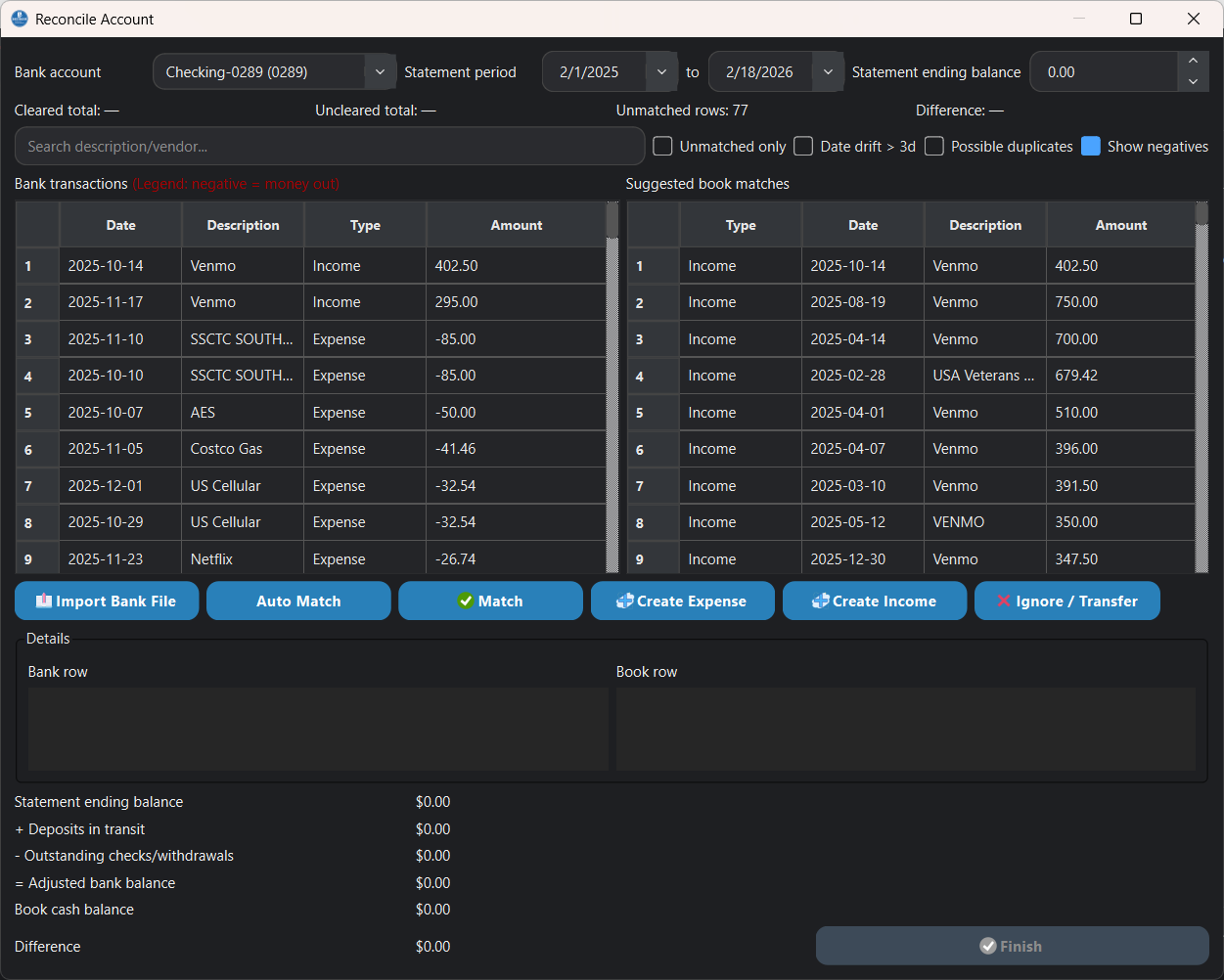
Import, review, reconcile
QuickTracker helps bring bank statement files into a desktop bookkeeping workflow. Review imported transactions, match expenses, resolve differences, and reconcile account balances before using the information in your reports.
Try the complete desktop workflow free for 30 days.
A reviewable process
The workflow keeps imported lines available for review so you can check matches and differences as you work.
Set up the accounts and categories you use to organize business income and expenses.
Bring bank statement data into QuickTracker instead of re-entering each transaction by hand.
Review imported lines, match transactions to expenses, and update details where needed.
Check account differences, finalize the reconciliation, and use your records in reports.
Designed for desktop bookkeeping
QuickTracker imports bank statement files for review. This page describes file import, not an automatic bank-feed connection.
Use matching tools to connect imported transaction lines with expense records and reduce repeated data entry.
Review differences and account balances as part of the reconciliation process.
Use organized records in financial reports and export data for review and tax preparation.