Stop rebuilding spreadsheets
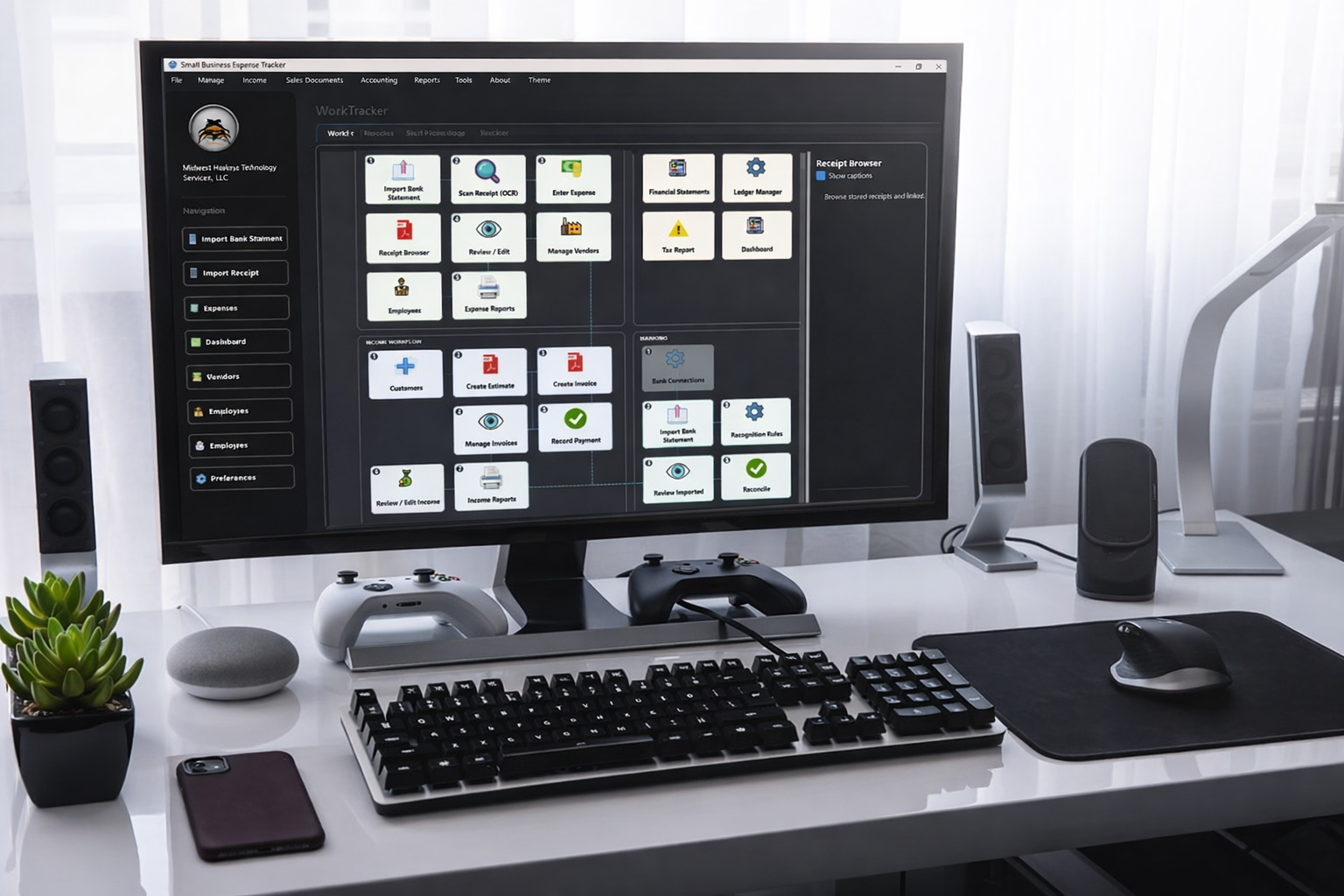
Bank import to reconciliation, then reports, statements, and tax output.
Desktop Accounting Software
Import bank files, auto-match expenses, scan receipts with OCR, create invoices, reconcile accounts, and run tax-ready reports from your own computer. QuickTracker is built for small businesses that want practical accounting tools without moving every financial record into a cloud subscription.
30-day free trial. One-time $139 lifetime license when you are ready.
macOS note: If macOS says QuickTracker is damaged or cannot be opened after download, right-click the app and choose Open. If needed, run xattr -cr /Applications/QuickTracker.app in Terminal after copying it to Applications.
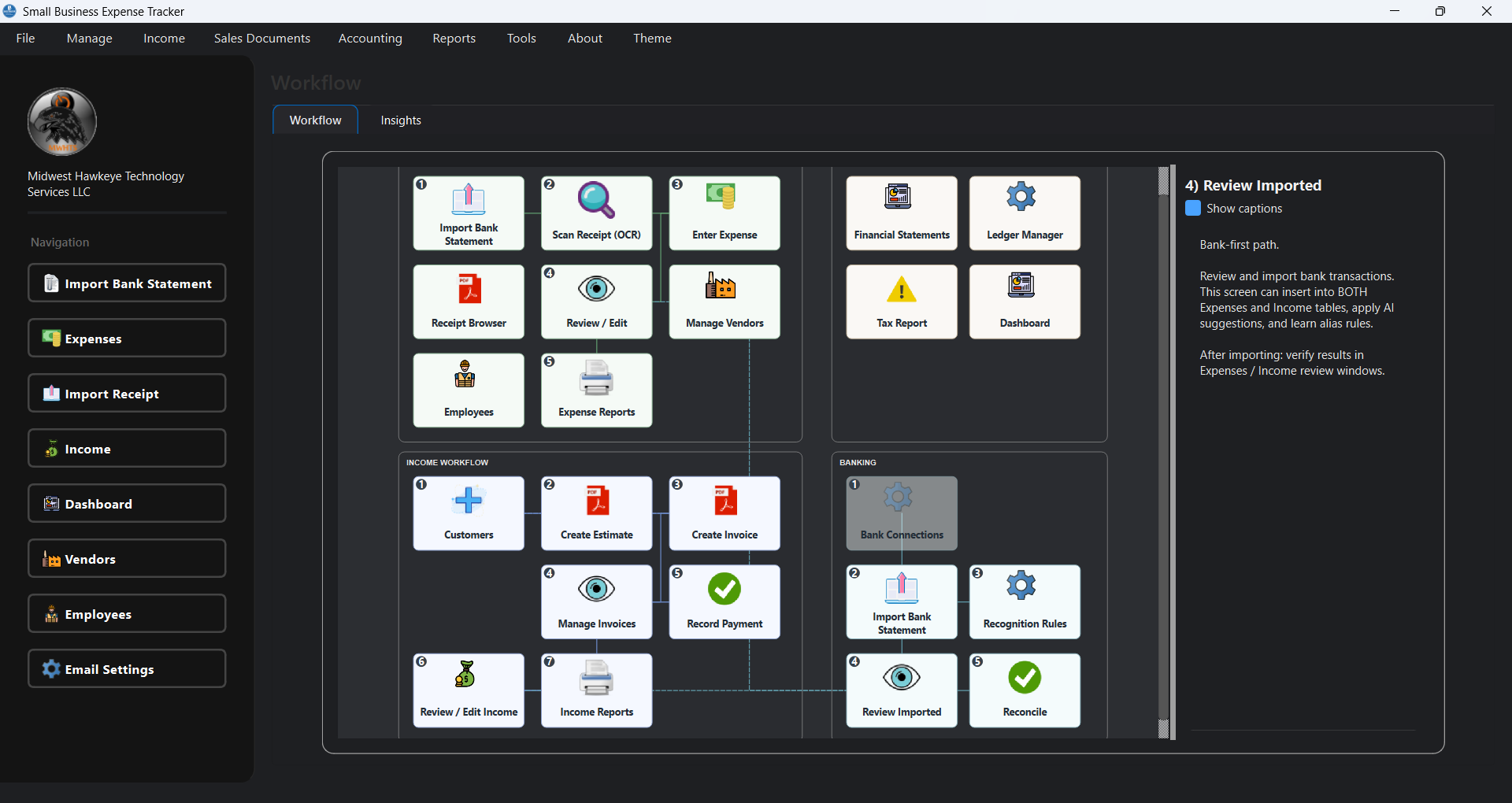
Bank import to reconciliation, then reports, statements, and tax output.
QuickTracker stores business records on your desktop instead of a cloud ledger.
A lifetime license replaces another recurring software bill.
Why QuickTracker
QuickTracker is a desktop-first application. Your accounting records stay on your own device, under your control.
Explore offline accountingBack up your QuickTracker data and restore it on another computer after installing the software again.
Pay $139 once, receive a product key after purchase, and keep access without monthly subscription lock-in.
About QuickTracker
QuickTracker is a software company based in Iowa. We develop bookkeeping software specifically for small businesses because we understand how businesses operate, where bookkeeping costs add up, and how important clear financial information is when making decisions.
QuickTracker was created with one primary goal: help reduce your company's bookkeeping costs while giving you a clear and accurate picture of your finances. Based on the information you enter, QuickTracker provides detailed income and expense reports so you can see where your money is coming from and where it is going.
Browse QuickTracker videos for setup, bank imports, expense review, reports, charts, and bookkeeping workflows.
Browse tutorialsWe continue developing QuickTracker with new features and improvements so the software can evolve with your business needs.
Our goal is to make financial tracking simple, affordable, and accessible, so you spend less time managing records and more time running your business.
Free Trial
Use the same desktop software on Windows or macOS and evaluate how it fits your process before purchasing a lifetime license.
Choose your platform and start your 30-day trial immediately.
macOS users: if Gatekeeper blocks the app after download, move it to Applications, then right-click QuickTracker and choose Open. If needed, run xattr -cr /Applications/QuickTracker.app.
Send your questions about the Windows or macOS version and we will help you decide if QuickTracker matches your workflow.
Ask an Install QuestionWhat QuickTracker Includes
Import bank statements, review imported lines, auto-match transactions, and manage expenses with category, payment method, vendor, employee, project, and reimbursable flags.
Explore bank importsCreate estimates and invoices, transfer estimate to invoice, record payments, and export polished PDFs for customers.
Explore invoicingWork with chart of accounts and journal entries, generate balance sheet, income statement, and cash flow, and keep records aligned to standard accounting workflows.
Review income vs expenses trends, top vendor spend, employee and payment analytics, and dashboard-level KPI summaries.
Use TurboTax Schedule C reporting with inventory snapshots and export CSV/PDF for tax preparation and year-end review.
Preview invoices and reports before sharing, then print or send professional documents with your company branding.
Ask QuickTracker workflow questions inside the app. Use built-in help, connect your own OpenAI API key, or run local AI through Ollama when available.
How It Works
Bring in bank files and receipts, then process new expenses or income.
Use matching tools, check differences, and finalize account balances.
Build estimates and invoices, then record payments and outstanding balances.
View dashboard metrics, trend charts, and produce export-ready reports.
Product Preview
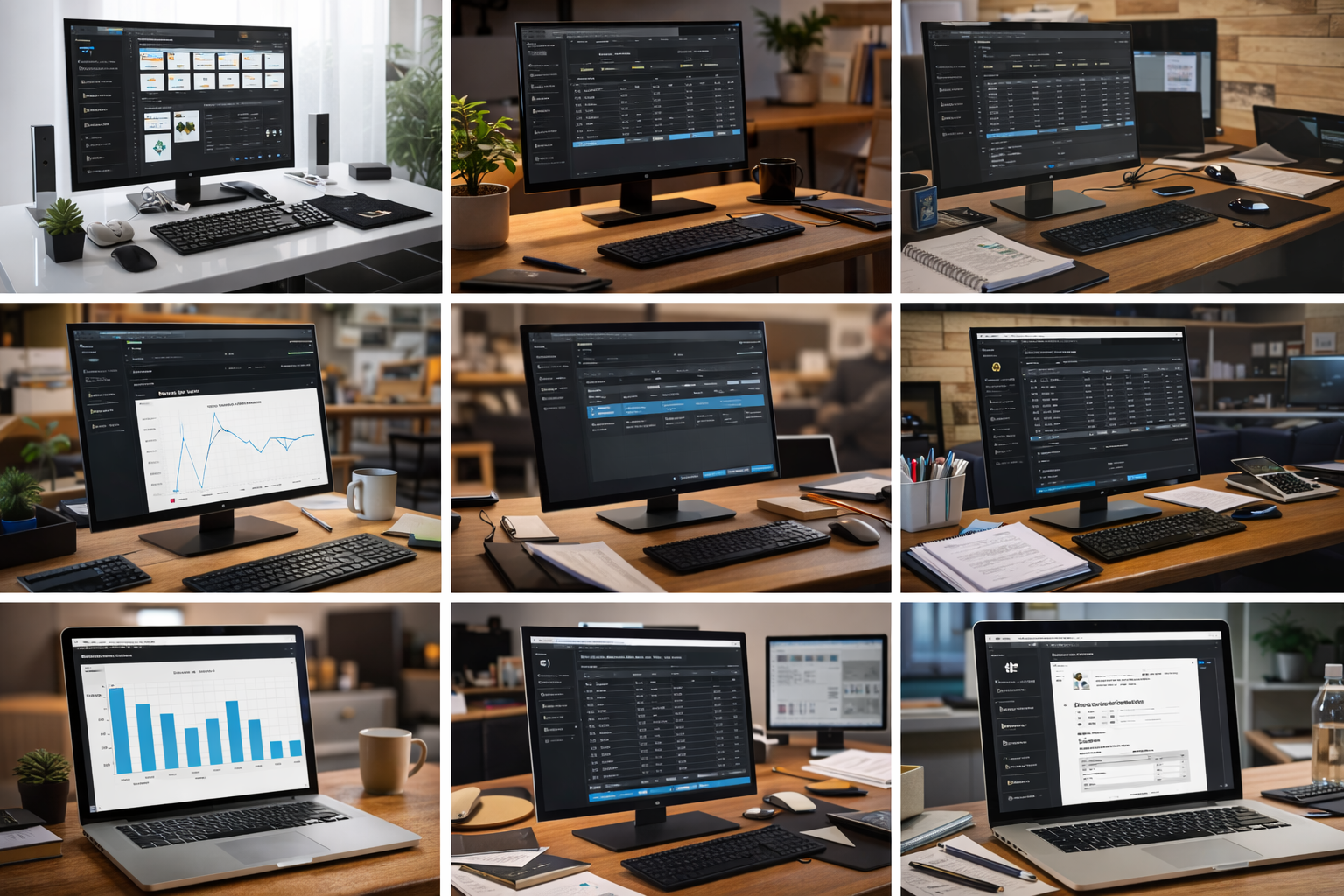
These representative screens show the actual desktop workflow: importing, reconciling, invoicing, reporting, and reviewing business performance.
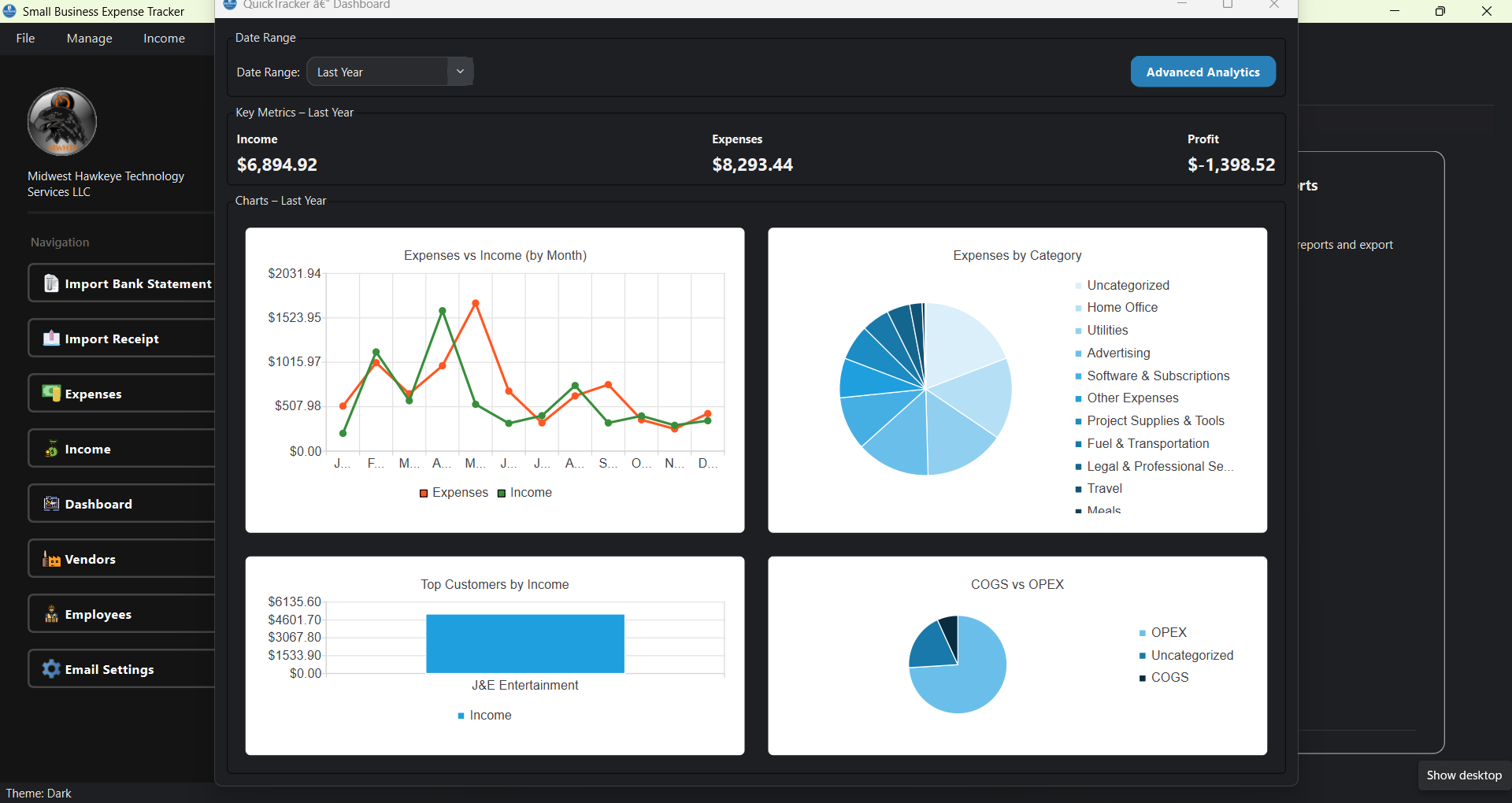
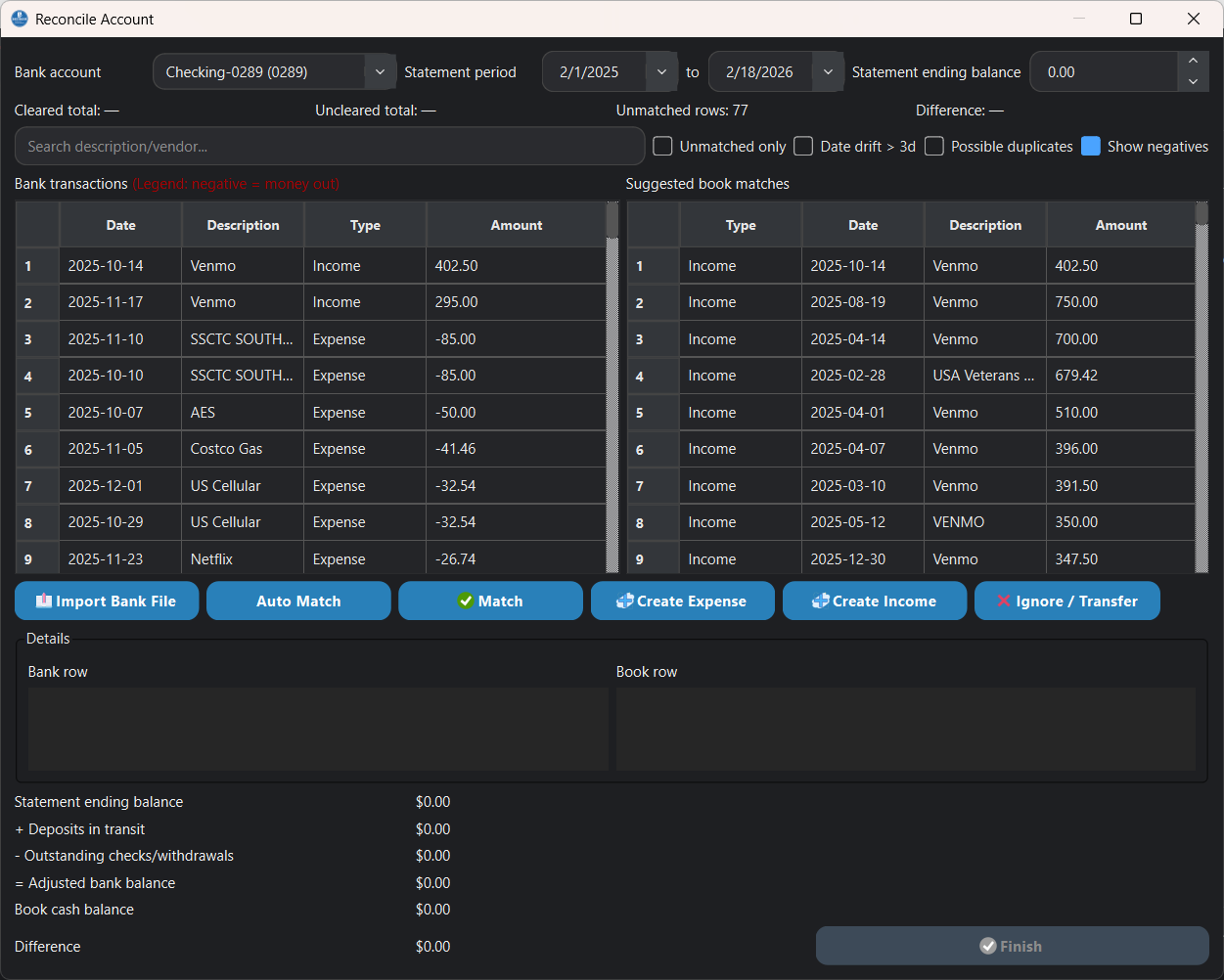
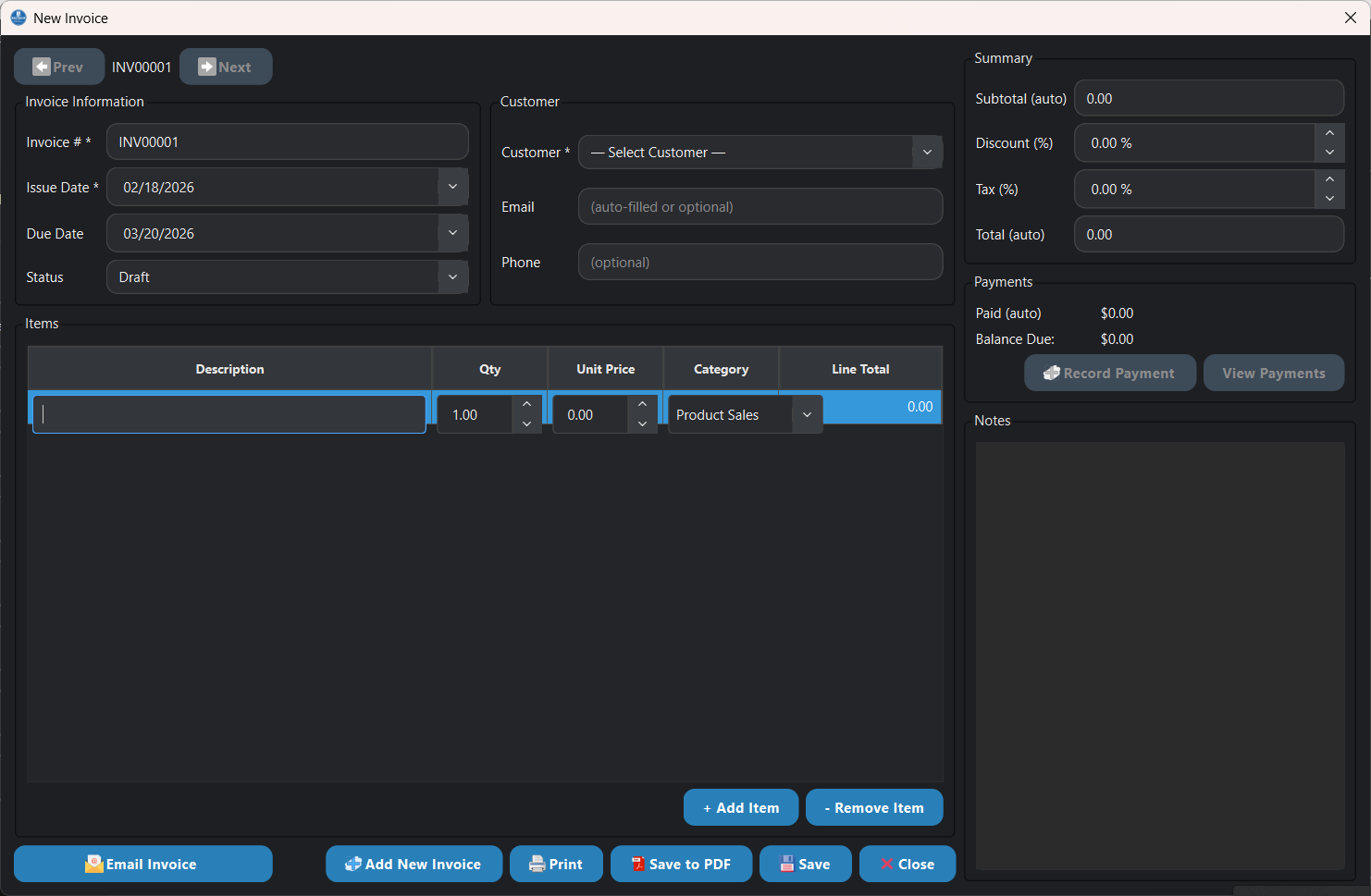
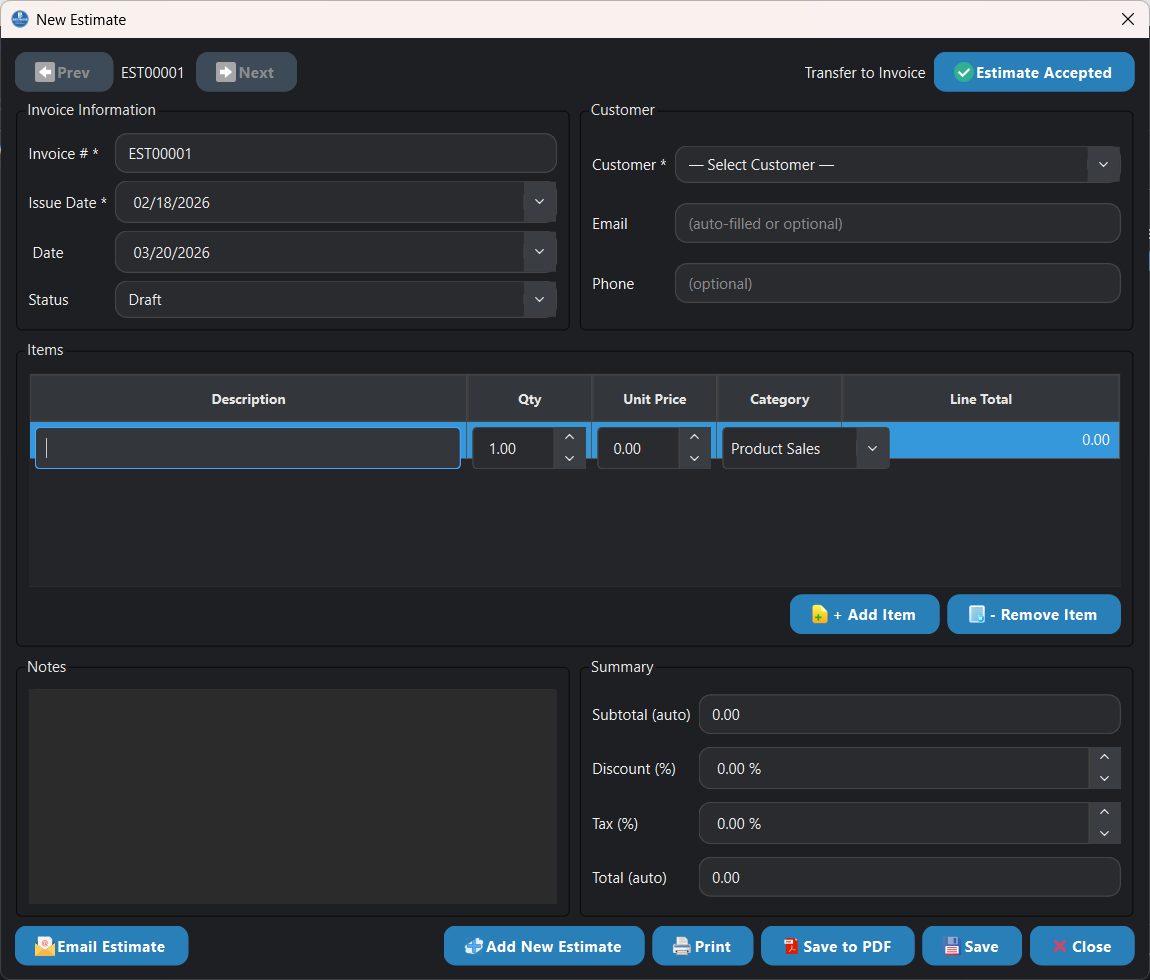
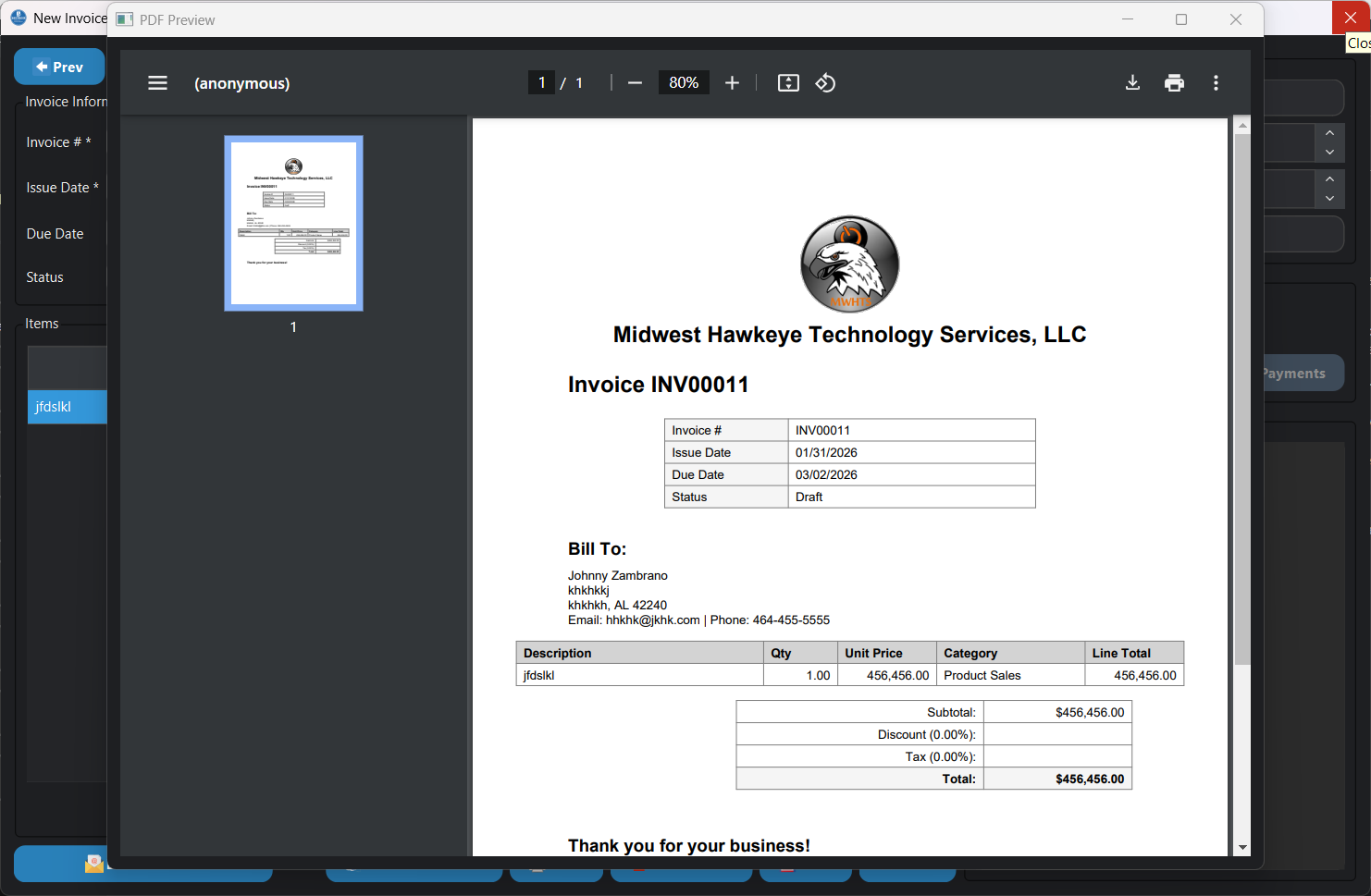
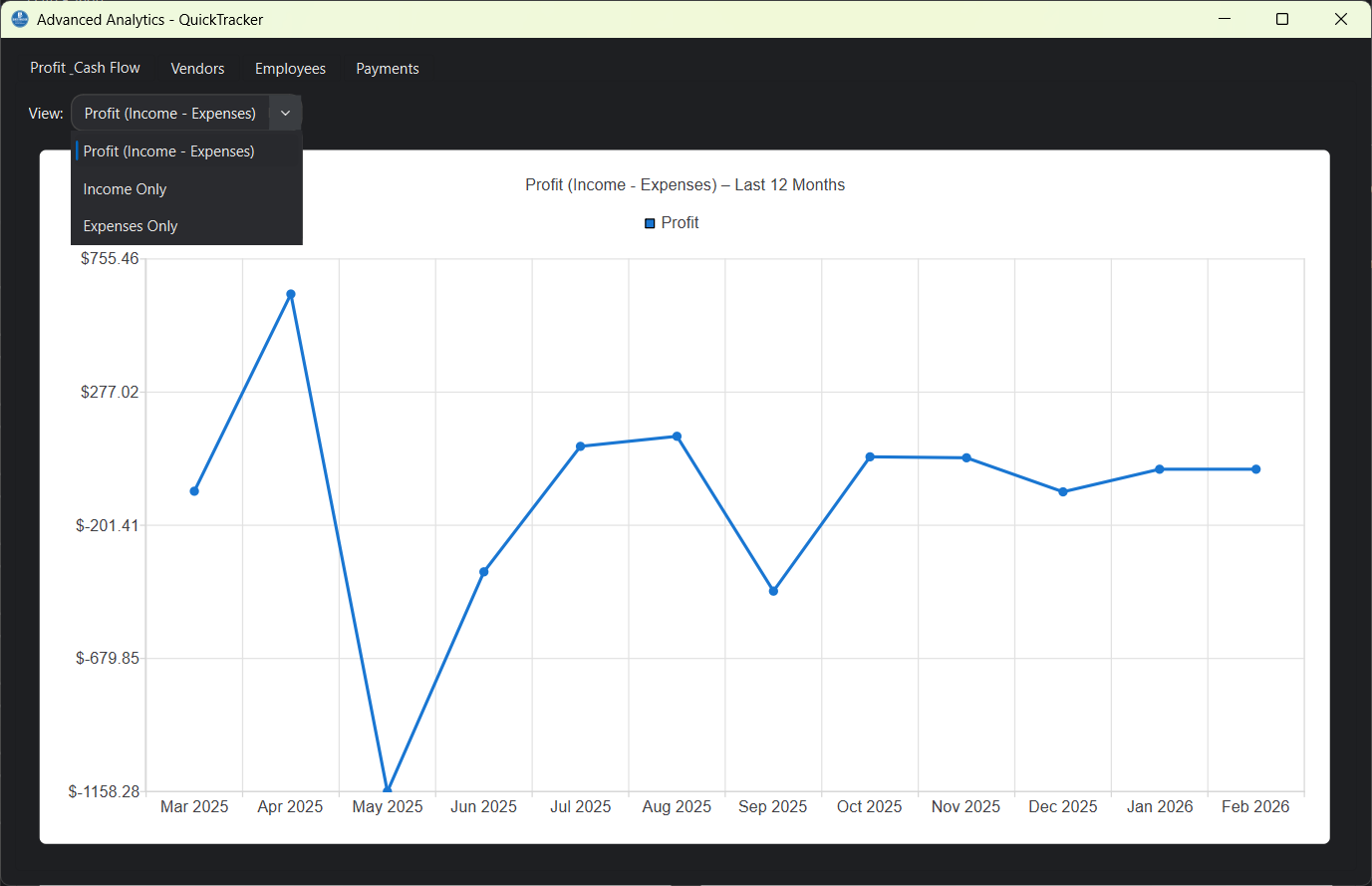
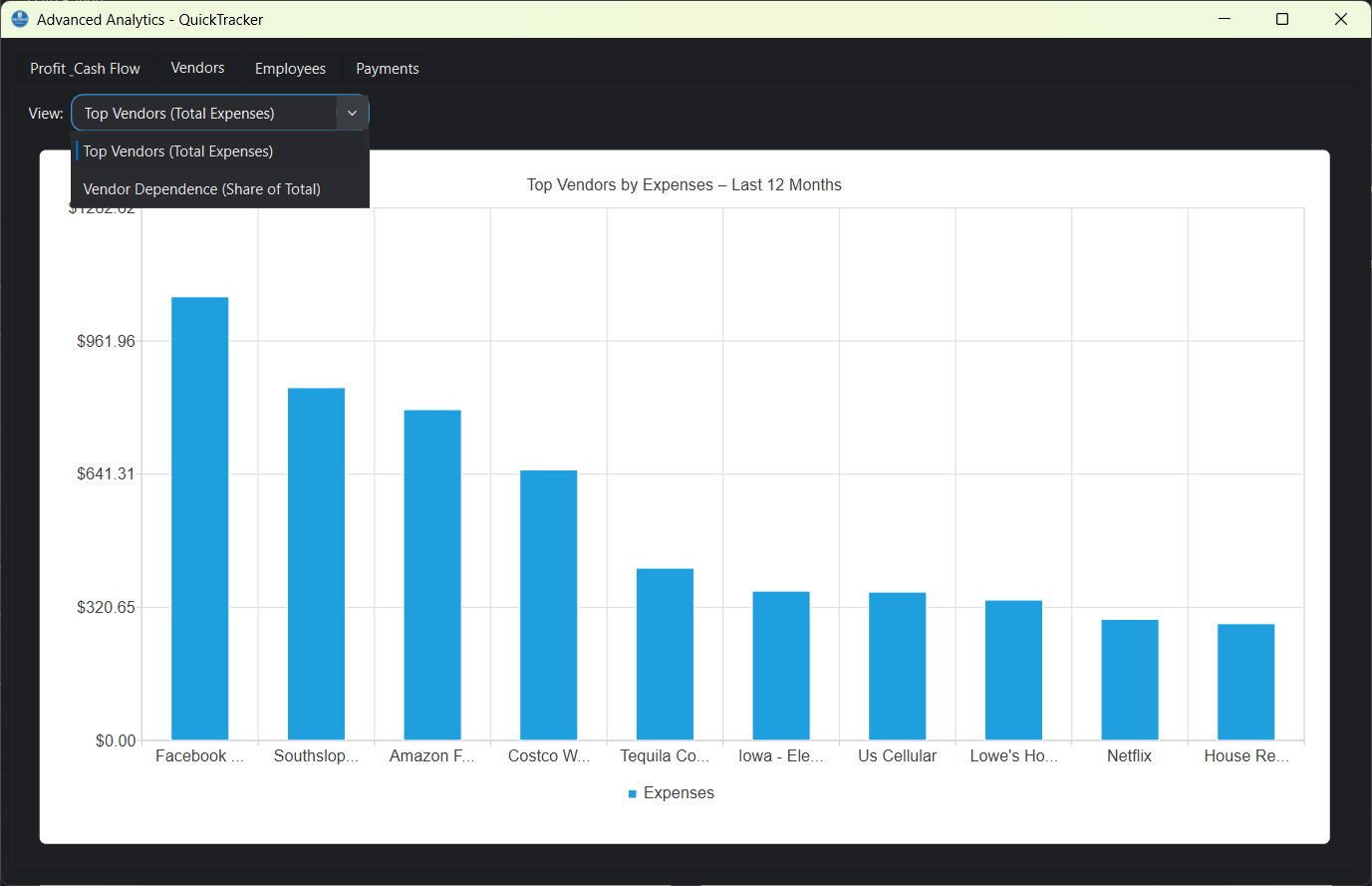
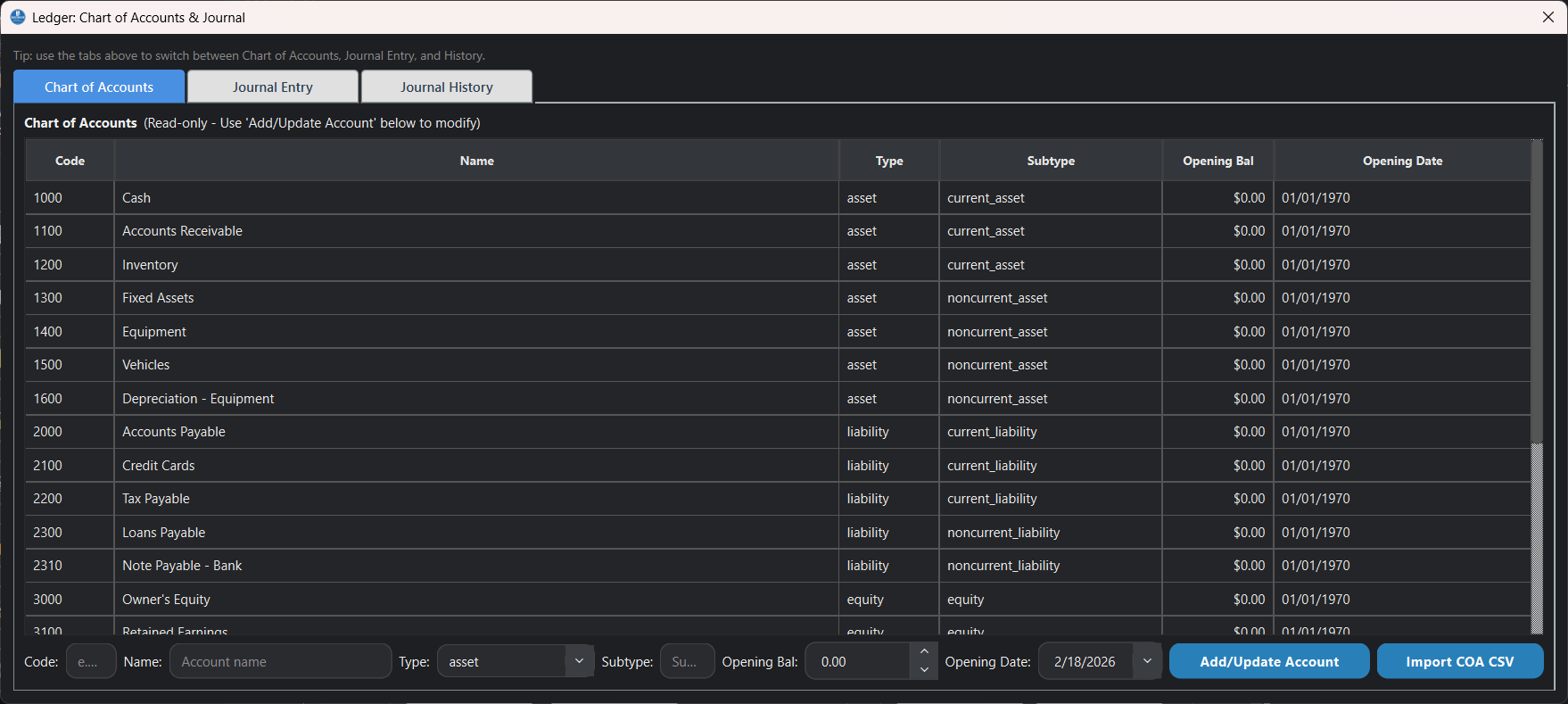
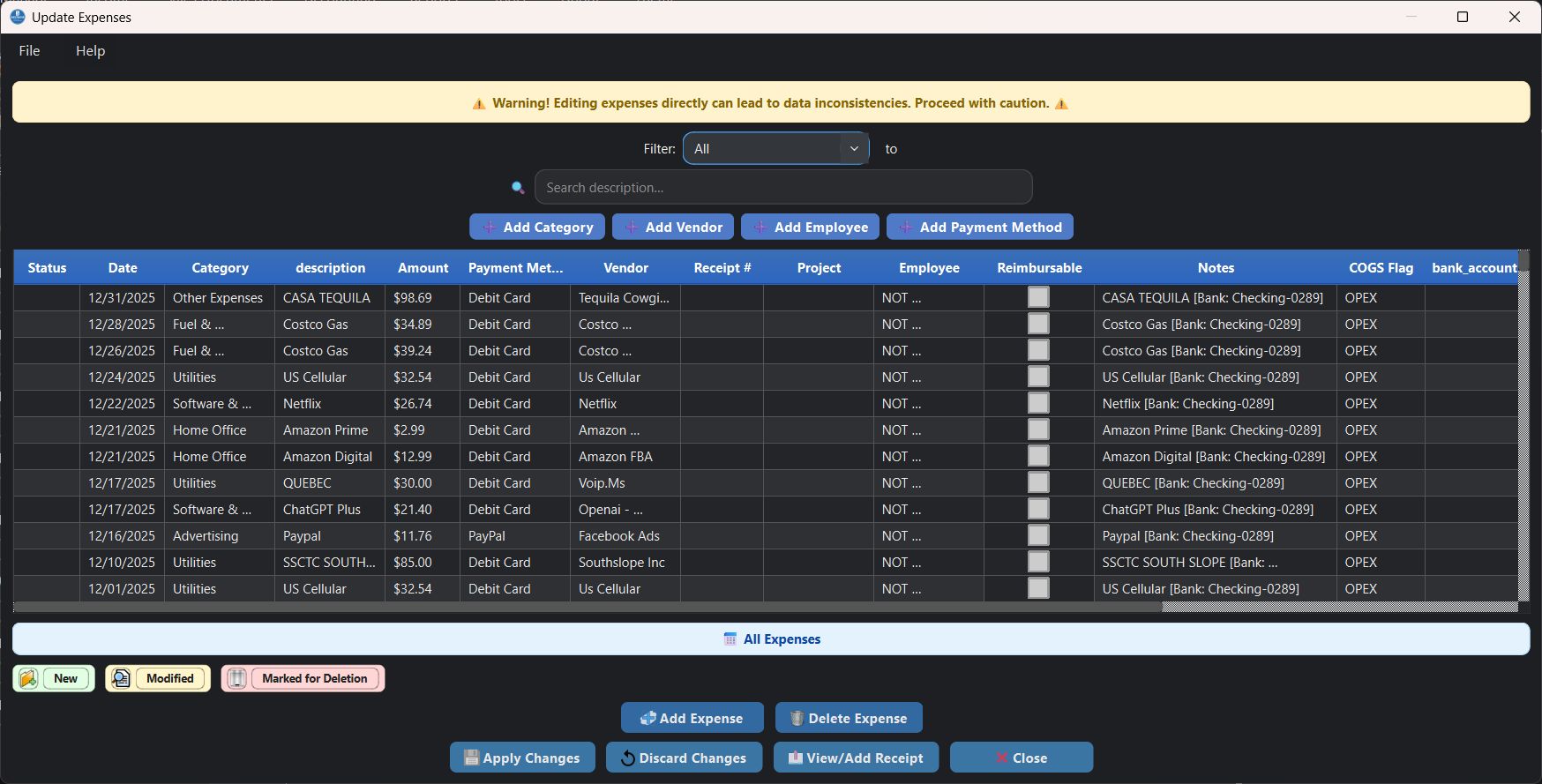
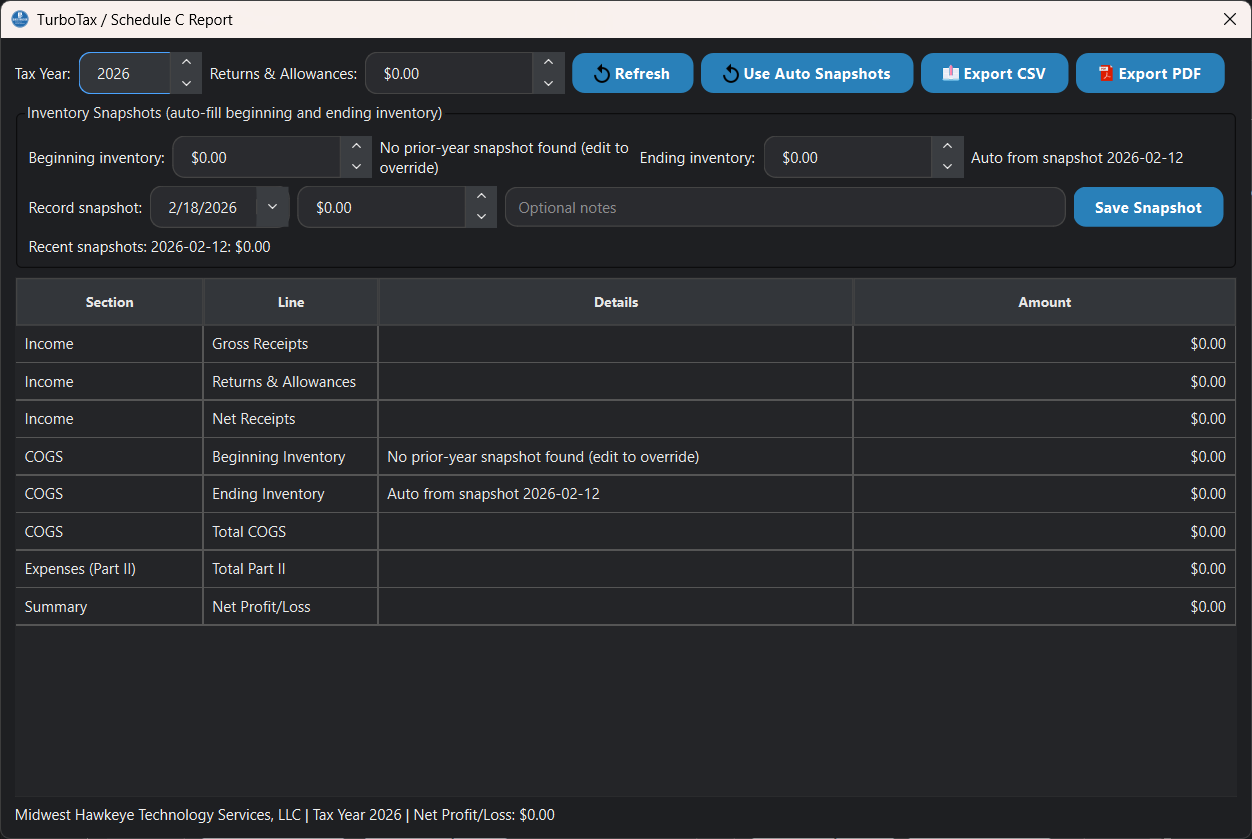
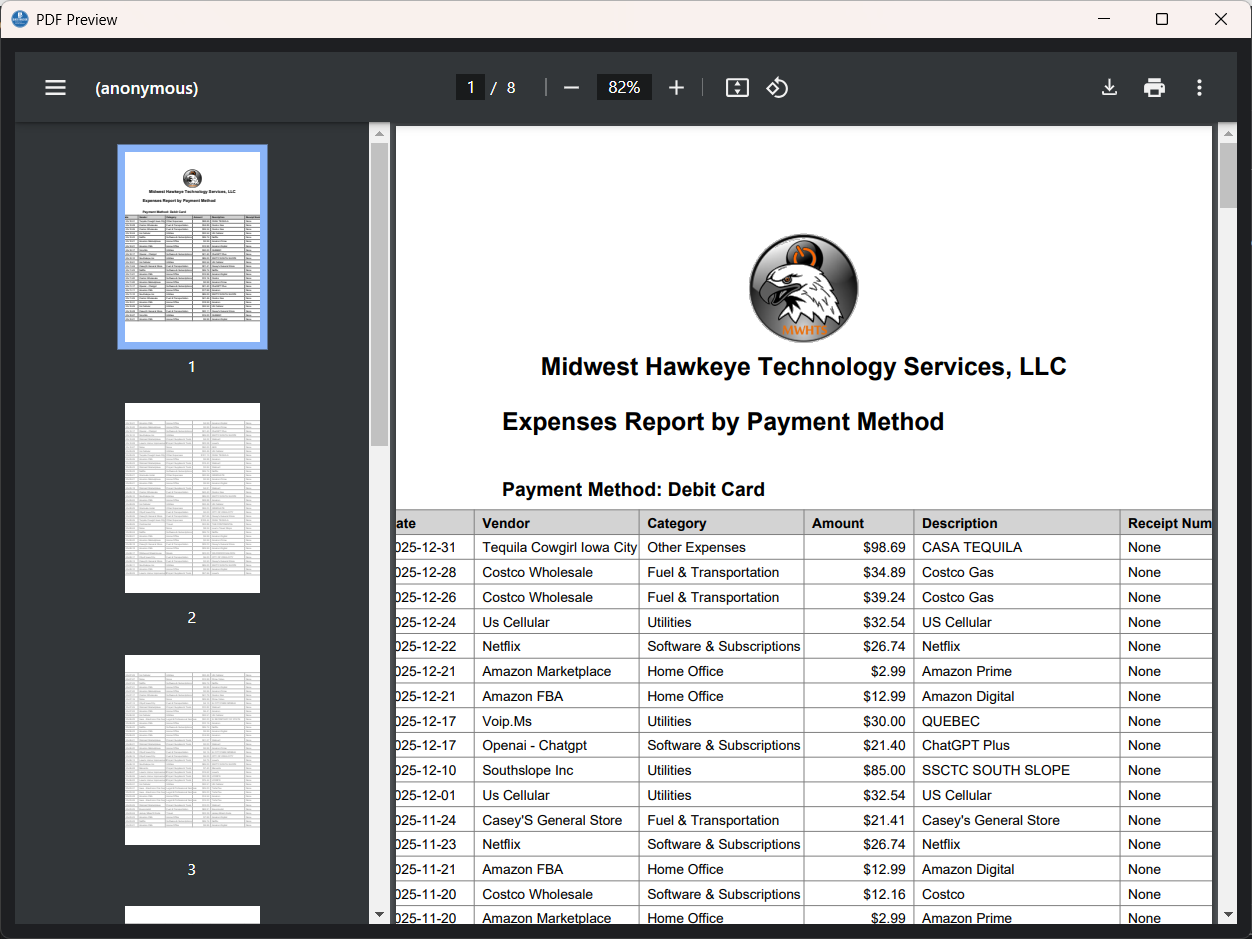
Screens shown are examples. Full feature access is included with your license.
Also Included
Attach and organize receipts and supporting documents with your records.
Protect business data with built-in backup support and recovery options.
Configure app behavior and interface settings to match your workflow.
Maintain clean contact records tied to invoices, expenses, and reports.
Use built-in update checks and product key recovery and activation tools.
Generate CSV and PDF outputs for accounting, tax prep, and business review.
AI Help and Optional AI Tools
QuickTracker includes a Help Assistant that can answer questions from the local user manual and workflow knowledge. AI mode is optional: use your own OpenAI API key, run a local Ollama model, or keep the built-in offline help mode.
Ask how to enter expenses, create invoices, reconcile accounts, manage backups, or find the right report. The assistant uses QuickTracker documentation so answers stay focused on the screens and workflows in the software.
OpenAI option: connect your own API key for cloud AI responses.
Ollama option: use free local models through Ollama on your computer when you prefer local AI.
Built-in fallback: if AI is off or unavailable, QuickTracker still searches the local help content.
The optional AI Pack includes trained model files for Review Import suggestions such as category, vendor, and payment method. QuickTracker still works without this pack using rules, alias learning, and DB-match prefill.
SHA-256
291ad45e9dc196dc9dbfe1efac30f913c31e44ccba9dea6ab24e12cbac226163
Keep the AI Pack version aligned with your QuickTracker release for best compatibility.
The AI Pack is separate from Help Assistant AI settings. OpenAI and Ollama Help Assistant modes do not require this model pack.
If Review Import still shows Rules/Aliases only, your build may not include the optional AI Runtime Add-on yet. The AI Pack installs model files only.
Summary: AI Pack = model files. AI Runtime Add-on = engine required to load/train ML models.
AI Help is optional and user-controlled. OpenAI usage may have API costs from OpenAI; Ollama runs locally and depends on the models installed on your computer.
Pricing
$139 USD one-time
Checkout is handled through the QuickTracker license portal with PayPal or card payment options.
This is ideal for owner-operators, service companies, and small teams that need practical accounting and bookkeeping tools without moving their data into a cloud SaaS stack.
If your process includes receipts, expenses, invoicing, reconciliation, and year-end reporting, QuickTracker gives you one desktop system to run the accounting side of it.
Contact
Send us your business use case and we will help you choose the right starting point, including Windows or macOS installation questions.
FAQ
No. QuickTracker is sold as a one-time lifetime license, so you are not paying every month just to keep using your bookkeeping software.
After payment you receive a product key and redeem it in the app.
Yes. Use the key recovery page at license.quicktracker.net/recover.
QuickTracker is not a monthly cloud subscription. Your business data is stored locally, so your records remain yours. Keep regular backups, and you can restore your QuickTracker data on another computer after reinstalling the app.
Yes. The app includes analytics, PDF reports, and Schedule C export workflows.
QuickTracker trial downloads are available for both Windows and macOS.
Download the Windows or macOS build, install it, and use it free for 30 days before purchasing.
This is usually a macOS Gatekeeper warning on unsigned downloads. Move QuickTracker to
Applications, then right-click the app and choose Open. If macOS still
blocks it, run xattr -cr /Applications/QuickTracker.app in Terminal and open it again.
No. Screenshots are a sample; your license includes additional productivity features and tools.
Yes. QuickTracker includes a Help Assistant with built-in help search and optional AI modes for OpenAI or local Ollama.
No. OpenAI is optional. You can use built-in help without an API key, or use local Ollama models if you prefer local AI.
No for the AI Pack itself (it is a model-file download installed from Preferences). For packaged EXE users, Python is not the recommended path. Training your own AI models in the EXE requires the optional QuickTracker AI Runtime Add-on.